
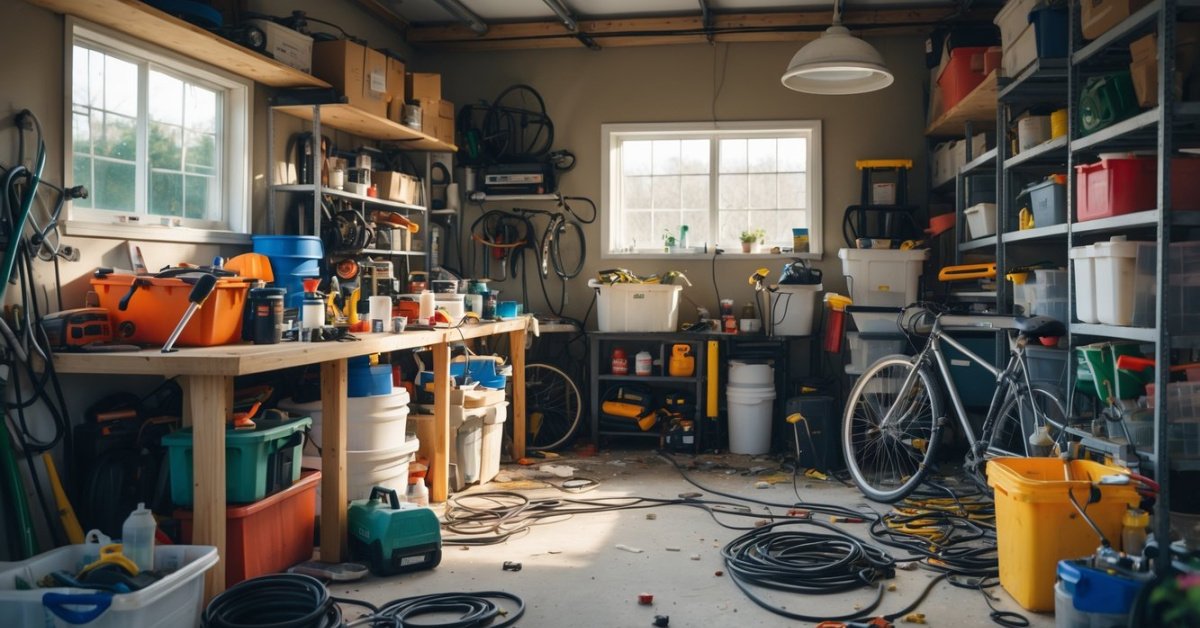
Every time I step into my garage I wonder where I put that one tool or box of screws. It’s easy for things to pile up and before I know it I’ve lost track of what I actually own. That’s why I decided it was time to get organized and create a garage inventory system.
Having a clear system not only saves me time searching for stuff but also helps me avoid buying duplicates. I love knowing exactly where everything is and feeling confident that my garage is working for me not against me. If you’re ready to take control of your space I can’t wait to share how simple and satisfying it can be to set up your own garage inventory system.
Why You Need a Garage Inventory System
Locating items quickly is essential for optimizing garage space. When I create inventory systems, my clients can find tools, seasonal décor, or sporting goods in seconds instead of minutes. Missing items cause frustration—an organized garage reduces this annoyance by up to 80%, according to data from the National Association of Productivity and Organizing Professionals (NAPO).
Preventing duplicate purchases also saves both money and space. Most homeowners I work with discover 3 to 5 redundant tools or supplies during the inventory process. Listing every item on a digital or physical log means you instantly know what you own before shopping.
Maximizing garage space is possible when every item has a designated spot. Professional inventory systems create space for bulky equipment, workbenches, or outdoor gear by revealing underutilized shelves and bins. Some clients reclaim as much as 30% of previously unused storage capacity with this method.
Maintaining peace of mind comes from knowing exactly where everything is stored. I see the relief garage owners feel when they stop searching and start enjoying their optimized space. Emergency supplies, valuable tools, and sentimental belongings remain secure and accessible when tracked through a clear system.
Supporting ongoing garage projects becomes easier with organized inventories. Whether planning a renovation, setting up a home gym, or managing auto parts, owners can track every component and prevent costly disruptions. Clients tell me that garage planning and upgrades finish faster when inventory details are part of the workflow.
Essential Features of a Garage Inventory System
Optimizing garage space starts with an efficient inventory system. My experience has shown that the right features streamline organization and keep garages functional year-round.
Item Categorization and Tagging
Categorizing and tagging items gives structure to a garage inventory system. I group items by type, like tools, sports gear, seasonal décor, and automotive supplies. Each item gets a unique label, either digitally or through physical tags. For example, tools get labeled by function—wrenches, hammers, screwdrivers—to speed up retrieval. Clear categories help clients instantly spot redundancy and decide what belongs in the garage.
Search and Filter Capabilities
Search and filter functions ensure clients locate items fast. I implement inventory systems with search bars and custom filters for tags, categories, dates added, and locations. For example, typing “paint” instantly brings up all paint cans, brushes, and tape in stock. Advanced filters further sort items by usage frequency, purchase date, or project status, which saves time and supports ongoing garage projects.
Visual Inventory Tracking
Visual tracking turns inventory data into actionable insights. I use apps or photos to maintain digital snapshots of storage areas. Clear photos or diagrams attached to each inventory entry make it easy to visually confirm what’s on hand and where it sits. For example, overview images of shelves and bins let clients spot what’s missing with a glance. Visual tools also simplify periodic audits and reduce over-purchasing by providing a real-time view of stock levels.
Step-By-Step Guide to Creating a Garage Inventory System
Creating a streamlined garage inventory system maximizes usable space and transforms daily routines. In my experience as a contractor and garage optimizer, every organized solution starts with clear steps and practical tools.
Assessing Your Storage Needs
Assessing your storage needs involves evaluating every item and usage pattern. I start by walking through the garage and listing all categories—hand tools, seasonal gear, automotive supplies, and project materials. I note how frequently each group gets used, which helps me prioritize storage zones for daily, weekly, or rarely-used items. For example, I place power drills and wrenches closer to workbenches while storing holiday decorations on higher shelves. I also measure available dimensions and identify underutilized spaces, such as overhead racks or wall-mounted options, for potential upgrades.
Choosing the Right Tools and Software
Choosing the right tools and software turns manual lists into dynamic systems. I recommend digital inventory apps like Sortly, Garage Inventory, or Airtable when digital tracking is preferred. These tools let me take photos, tag items, and update records from my phone. For clients who prefer physical systems, I use waterproof labels and robust spreadsheets. I look for features like barcode scanning, custom fields, and cloud backup, which allow for scalable and accessible inventories. For example, I set custom categories for battery types and drill bits, both easily misplaced during renovations.
Organizing and Labeling Your Items
Organizing and labeling items creates instant visual clarity. I start by grouping similar items—for example, gardening shears, hoses, and pots—then assigning distinct bins, drawers, or shelves for each group. I apply color-coded labels or QR codes that match my digital categories, ensuring fast retrieval for everyone in the household. For smaller items, like screws or specialty fasteners, I use compartmentalized cases with clear lids and attach inventory tags. I always position labels outward for quick scanning, avoiding hidden contents and confusion later.
Maintaining and Updating Your Inventory
Maintaining and updating your inventory keeps the system reliable long-term. I set monthly or seasonal review reminders to cross-check actual items with my digital or paper logs. This step helps me spot missing tools, note depleted supplies, and remove duplicates uncovered through recent projects. I encourage clients to log new purchases or gifts—like an upgraded impact driver—in real time or during periodic cleanups. I also update photos and storage locations after rearranging shelves or adding new wall organizers, so the map always matches the reality of the garage.
Common Challenges and How to Overcome Them
Tracking Small or Miscellaneous Items
I often see clients struggle with tracking small hardware, fasteners, or single-use tools. Grouping similar items inside labeled clear containers and assigning each container a unique inventory number keeps these items visible and countable. Placing containers on open shelves near workbenches helps me and the garage owner find essentials instantly.
Keeping Inventory Updated
Inventory systems quickly lose accuracy if updates don’t fit into existing routines. Integrating quick mobile scanning apps or keeping a barcode scanner by the garage entry lets me register changes immediately. I encourage homeowners to log new purchases or consumptions right when they happen to avoid backlogs.
Managing Infrequently Used Items
Seasonal or rarely needed items (examples: holiday lights, winter tires) often slip through the cracks. I designate a section of overhead storage or higher shelving for these categories and use digital tags in the inventory notes to mark them ‘Seasonal’ or ‘Occasional’. This strategy prevents loss while freeing up primary space.
Maintaining Owner Engagement
Garages tend to revert to disorder if clients lose interest in maintaining the system. I schedule quarterly check-ins or inventory reviews with homeowners, prompting quick reset sessions. Automated app reminders or physical checklist boards near the entry keep the process engaging.
Integrating Diverse Storage Systems
Garages frequently contain a mix of racks, cabinets, wall panels, and pegboards. I connect digital locations in the inventory to physical maps or printed diagrams, aligning virtual indexes with real spots. This hybrid method helps every household member understand and stick to the new arrangement.
| Challenge | Solution |
|---|---|
| Tracking small items | Labeled clear bins with unique IDs, positioned accessibly |
| Keeping inventory updated | Mobile apps or barcode scanners at garage entry points |
| Managing infrequently used items | Overhead/high shelving, seasonal tags |
| Maintaining owner engagement | Scheduled reviews, digital/physical reminders |
| Integrating diverse storage systems | Digital-physical inventory mapping, household training |
Recommended Tools and Apps for Garage Inventory
I rely on purpose-built digital apps, versatile physical tools, and integrated hardware to optimize any garage inventory system for maximum efficiency and ease of access. Streamlined inventory management not only keeps areas clutter-free but also supports ongoing projects and smooths out daily routines.
Apps for Tracking and Organization
I use specialized inventory apps for streamlined garage management. Apps like Sortly, Memento Database, and MyStuff2 let me catalog tools, categorize supplies, and add photos for precise tracking. They also sync across devices, making updates possible from a phone, tablet, or desktop.
Labeling Solutions for Clear Identification
I improve access and retrieval using clear physical labels. Label printers like the Brother P-touch series let me create durable, easy-to-read labels for bins, shelves, and drawers. Color-coded labels distinguish categories, ensuring the right tool or part is always within reach.
Barcode and QR Code Systems
I add barcodes or QR codes to manage large inventories efficiently. Printable codes let me link physical items to corresponding entries in apps like Sortly or Airtable. Scanning with a phone instantly updates item status or location in my digital inventory.
Cloud-Based Spreadsheets for Flexibility
I implement cloud-based spreadsheets when clients already use Excel or Google Sheets. These tools let me custom-build inventory sheets with sortable columns for category, quantity, storage location, and usage notes. Filters and quick search features increase locating speed for each item.
Tracking Devices and Smart Sensors
I fit garages with Bluetooth trackers from brands like Tile or Apple AirTag for high-value or loaned tools. These devices let me track item locations within the property, reducing time spent searching for misplaced gear.
Comparison Table: Garage Inventory Tools and Apps
| Tool/App | Primary Use | Notable Feature | Device Integration |
|---|---|---|---|
| Sortly | Digital cataloging | Photo-based inventory, QR/barcode | iOS, Android, Web |
| Memento Database | Custom database | Fully customizable fields | iOS, Android |
| MyStuff2 | Home inventory | Batch import, item grouping | iOS |
| Brother P-touch Printer | Physical labeling | Long-lasting, color-coded labels | Standalone |
| Tile/AirTag | Tracking location | Lost item proximity alerts | Bluetooth, iOS, Android |
| Google Sheets/Excel | Digital spreadsheet tracking | Filter, search, shareable data | Web, Desktop, Mobile |
I combine these tools and apps strategically, tailoring setups to the garage’s size, item types, and homeowner preferences. This approach drives lasting organization, maintains clear visibility, and supports ongoing optimization projects.
Conclusion
Taking the leap to create a garage inventory system has truly transformed the way I use my space. It’s amazing how much easier life gets when every tool and supply has a designated spot and I can actually find what I need in seconds.
Staying organized isn’t just about tidiness—it’s about making room for new projects and reducing daily stress. If you’ve been thinking about tackling your own garage chaos now’s the perfect time to start. You’ll thank yourself every time you walk in and know exactly where everything is.


